Network Morphology
Builds a pore network scene from a MAT file, coloring pores and throats by radius, with a solid overlay and axes.
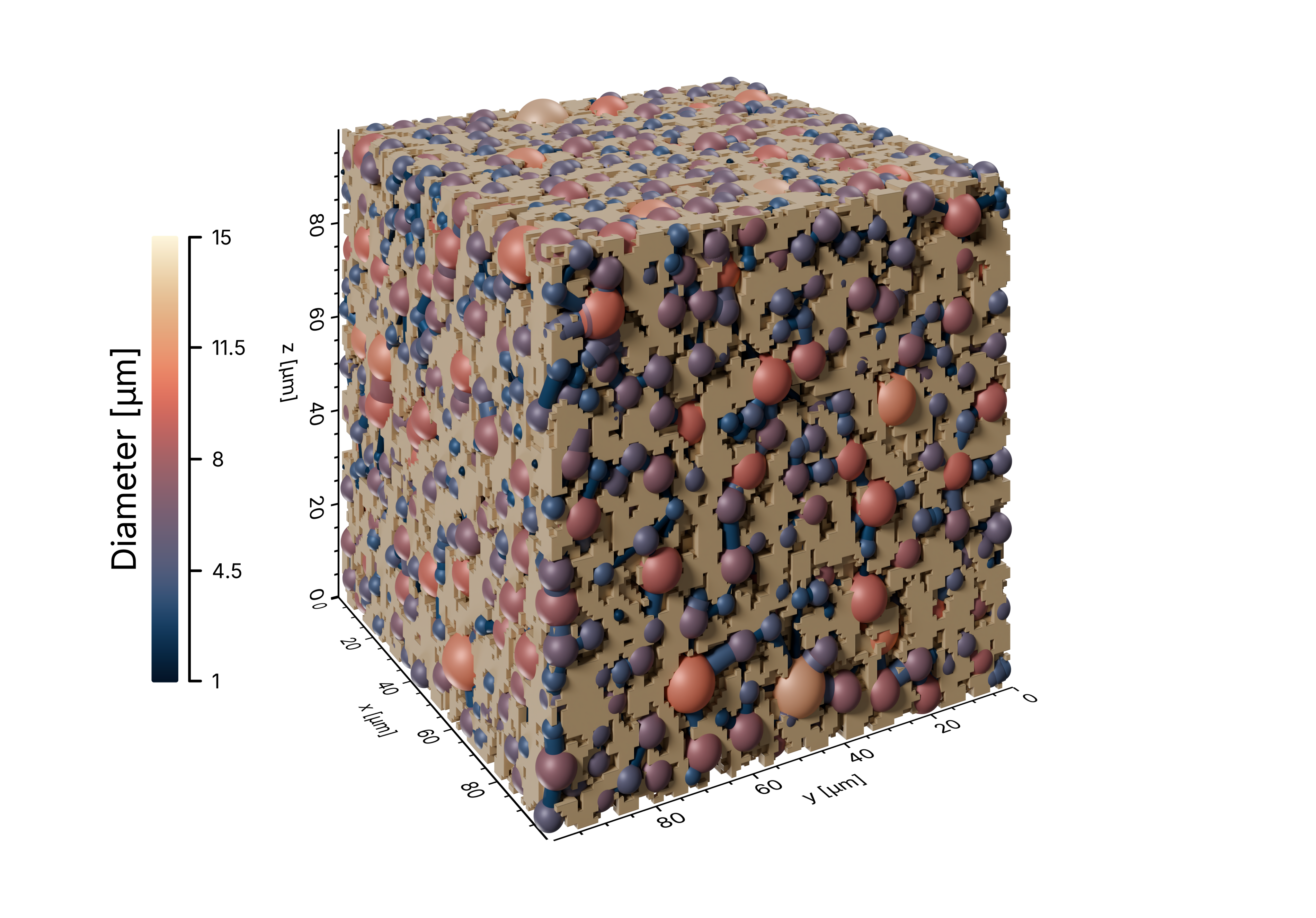
example/network_morphology.py
 1import json
 2from pathlib import Path
 3
 4from porescene import image, worker
 5from porescene.color.palette import Colormap, Palette
 6from porescene.config import PropertyConfiguration
 7from porescene.model import PoreNetwork
 8from porescene.scene import Scene
 9from porescene.utility import CompassDirection, Orientation
10
11# =============================================================================
12# Import Parameters
13
14# data directory
15pth_data = Path.cwd() / "data"
16
17# temporary directory for rendered images
18pth_tmp = Path.cwd() / "tmp"
19
20
21# =============================================================================
22# Scene configuration and rendering
23
24# load variable mapping for variable import from .mat file
25with open(pth_data / "map_vars.json") as f:
26    map_vars = json.load(f)
27
28# load pore network data from MAT file
29pn = PoreNetwork.from_mat(pth_data / "pnm.mat", map_vars["data_network"])
30
31# load PoreScene config from JSON file
32sc = Scene.from_json(pn.extent, pth_data / "porescene.json")
33
34# initialized PNM property "radius"
35sc.config_scene.add_property(
36    PropertyConfiguration(
37        "radius",
38        Palette.load(Colormap.LIPARI).all(),
39        heading="Diameter [µm]",
40        orientation=Orientation.VERTICAL,
41        align=CompassDirection.WEST,
42        precision=0,
43        factor=2e6,  # converts radius in [m] to diameter in [µm]
44    )
45)
46
47# add cylinders and spheres to the scene
48worker.build_structure(sc, pn, top=True, bottom=True)
49
50# add axes around the scene
51sc.create_axes()
52
53# add a solid object to the scene
54sc.create_solid(pth_data / "solid.ply")
55
56# render the scene and color pores and throat according to their radius
57pth_img = worker.make_radius(pth_tmp, pn, sc)
58
59# add padding of 10 %
60image.img_pad(pth_img, 0.1, trim=False)