Network random coloring
Not every question about a pore network is about a scalar property. Sometimes the goal is simply to tell the individual elements apart – to see where one pore ends and the next begins, or to follow a single throat through a dense tangle. PoreScene supports this with a random identity coloring: every pore and every throat is given a color drawn at random from a palette. Because the colors carry no scale, no colorbar is composited; the coloring exists only to distinguish elements, not to encode a value.
This is the stick-and-ball counterpart to the pore space segmentation example, which colors whole void clusters at random. Here the same idea is applied to the spheres and cylinders of a pore network.
The one choice that really shapes such a render is the palette the random colors are drawn from, so this example renders the network twice: once from a continuous colormap, where neighbouring draws can land on near-identical hues, and once from a qualitative one, whose few colors are designed to be told apart at a glance.
This tutorial builds on the network topology example and reuses the same pore network extracted from the freeze-dried sugar solution captured with X-ray micro-computed tomographic imaging [1], available in PoreScene’s repository on GitHub: data/pnm.mat
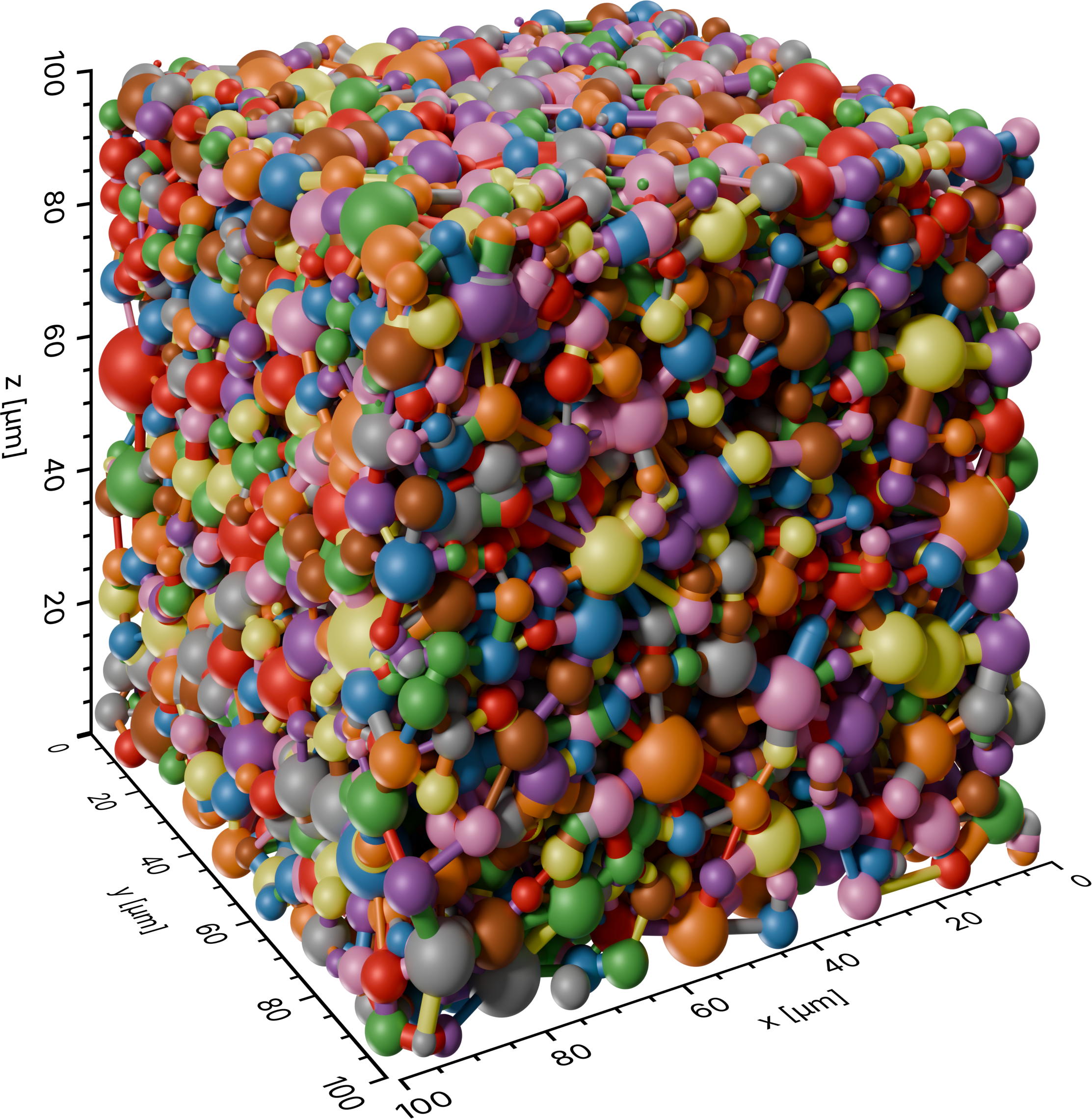
The second render: the pore network in stick-and-ball representation, every pore and
throat colored at random from the qualitative SET1 palette, whose handful of
distinct colors make neighbouring elements easy to separate.
Step-by-step guide
1. Import required modules
Make sure to have porescene installed (see Installation). At first, required modules need to be imported:
import json
from pathlib import Path

from porescene import worker
from porescene.color.palette import Colormap, Palette
from porescene.model import PoreNetwork
from porescene.scene import Scene
PoreNetwork holds the pore and throat data, while
Scene sets up the rendering stage. Module
worker provides the high-level helpers that build the stick-and-ball
geometry and render it. Palette and
Colormap supply the colors the random draws are taken
from. File paths and directories are handled throughout PoreScene with the built-in
pathlib module, and json reads the variable mapping.
2. Set utility variables
After that, the directory holding the input data and receiving the rendered images is specified:
# data directory
pth_data = Path.cwd() / "data"
pth_data holds the input files – the pore network – and also receives the rendered
images.
3. Load the pore network
The network is stored in a MATLAB file. Because the variable names inside such a file
differ from project to project, from_mat() takes a
mapping from PoreScene’s attribute names to the variable names in the file. That mapping
lives in map_vars.json and is loaded first:
# load variable mapping for variable import from .mat file
with open(pth_data / "map_vars.json") as f:
    map_vars = json.load(f)

# load pore network data from MAT file
pn = PoreNetwork.from_mat(pth_data / "pnm.mat", map_vars["data_network"])
The loaded PoreNetwork carries the pore positions and radii,
the throat radii, and the throat-to-pore connectivity that PoreScene needs to place the
spheres and cylinders. The random coloring uses none of the property values – only the
number of pores and throats – so the imported data is used as-is.
4. Scene setup
The scene is created directly from the physical extent of the network, which sizes it
and calibrates the axes to the real dimensions of the sample (see Concepts & Conventions):
# initialize a new scene
sc = Scene(pn.extent)
Tip
To reuse a saved camera, lighting and axis configuration instead of the defaults, load
it from a PoreScene JSON file with
Scene.from_json().
build_structure() then builds the stick-and-ball geometry, one
sphere per pore and one cylinder per throat. Calibrated axes are added around it:
# add cylinders and spheres to the scene
worker.build_structure(sc, pn)

# add axes around the scene
sc.create_axes()
5. Render with a continuous palette
make_random() draws its colors from the scene’s palette, so the
palette is set before rendering. The first render uses the continuous ROMAO
colormap:
# draw random colors from a continuous colormap (neighbours get similar hues)
sc.config_scene.palette = Palette.load(Colormap.ROMAO)
make_random() then assigns each pore and each throat a color
picked at random from that palette, renders the scene, and – unlike the property-based
workers – adds no colorbar, since the random colors carry no scale:
# render the network with one random color per pore and throat
pth_img = worker.make_random(pth_data, pn, sc)
Because make_random() names its output after the layers it draws
(cylinder-random+sphere-random+axes.png), the second render below would overwrite
this one. The image is therefore renamed after the palette used, so both survive:
# rename the render after the palette used, so the next one does not overwrite it
pth_img.replace(pth_img.with_stem("random-continuous"))
Drawn from a continuous colormap, the random colors are spread smoothly along a single hue progression, so two neighbouring elements can easily end up looking almost the same.
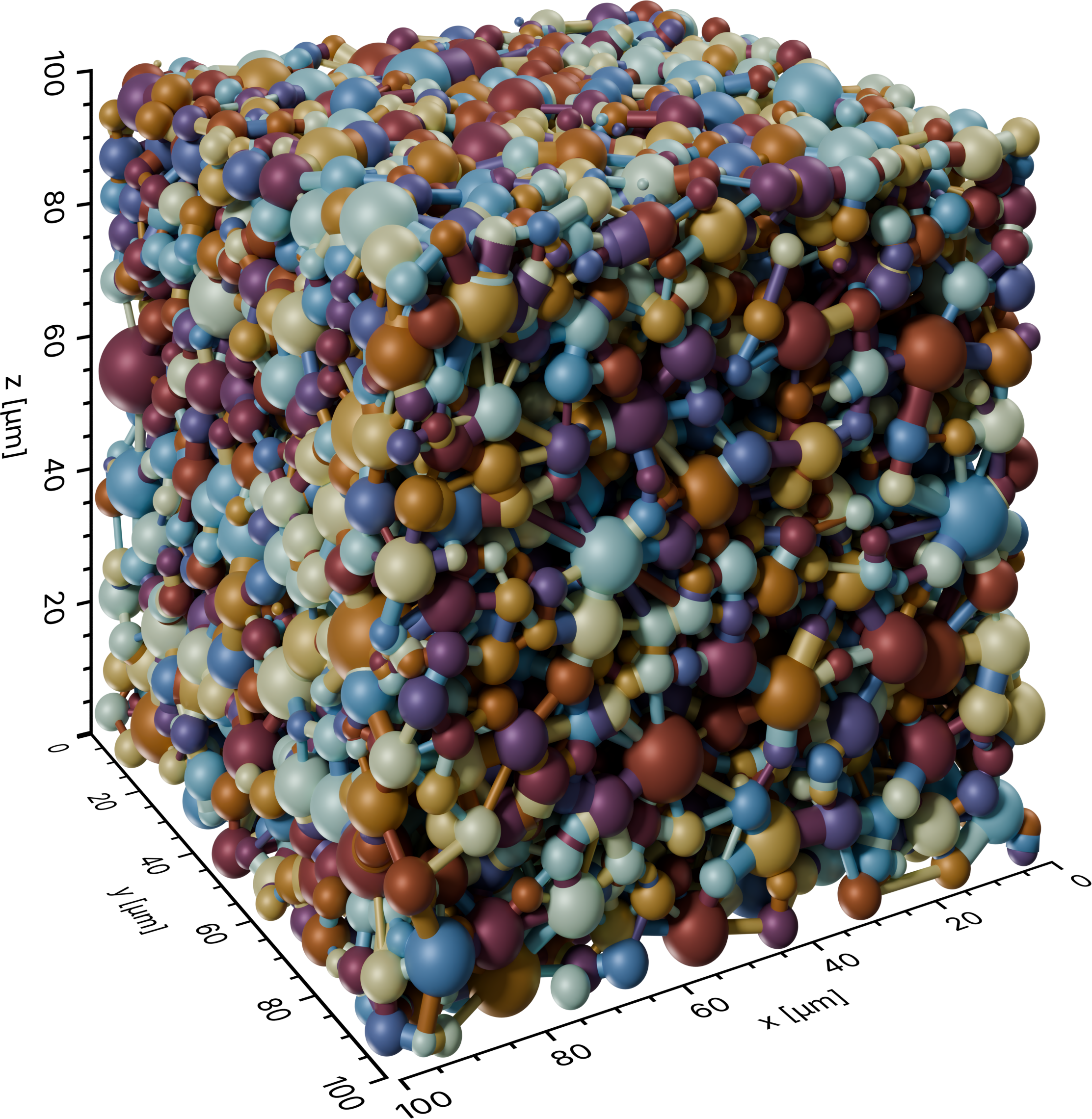
The first render: every pore and throat colored at random from the continuous
ROMAO colormap. Because the colors come from one smooth hue progression, some
neighbouring elements are hard to tell apart.
6. Render with a qualitative palette
The same scene is reused for a second render, this time drawing from the qualitative
SET1 palette. Reassigning
sc.config_scene.palette is all it
takes; the geometry does not need rebuilding:
# draw random colors from a qualitative colormap (colors meant to be told apart)
sc.config_scene.palette = Palette.load(Colormap.SET1)

# render the network again with one random color per pore and throat
pth_img = worker.make_random(pth_data, pn, sc)

# rename the render after the palette used
pth_img.replace(pth_img.with_stem("random-qualitative"))
A qualitative palette holds only a handful of colors, chosen to be as distinct from one
another as possible.
Palette.load(...).random(n) samples them
with replacement, so colors do repeat across the many pores and throats – but any two
adjacent elements are far more likely to be clearly different than with the continuous
palette, which is exactly what an identity coloring wants.
Note
Every render resets the scene afterwards – hiding the pore and throat layers – and
make_random() re-draws its random colors on each call, so the
two renders are independent color assignments, not the same one recolored.
Full script
The complete example, also available on GitHub: example/network_random.py.
 1import json
 2from pathlib import Path
 3
 4from porescene import worker
 5from porescene.color.palette import Colormap, Palette
 6from porescene.model import PoreNetwork
 7from porescene.scene import Scene
 8
 9# =============================================================================
10# Import Parameters
11
12# data directory
13pth_data = Path.cwd() / "data"
14
15
16# =============================================================================
17# Scene configuration
18
19# load variable mapping for variable import from .mat file
20with open(pth_data / "map_vars.json") as f:
21    map_vars = json.load(f)
22
23# load pore network data from MAT file
24pn = PoreNetwork.from_mat(pth_data / "pnm.mat", map_vars["data_network"])
25
26# initialize a new scene
27sc = Scene(pn.extent)
28
29# add cylinders and spheres to the scene
30worker.build_structure(sc, pn)
31
32# add axes around the scene
33sc.create_axes()
34
35
36# =============================================================================
37# Render with a continuous palette
38
39# draw random colors from a continuous colormap (neighbours get similar hues)
40sc.config_scene.palette = Palette.load(Colormap.ROMAO)
41
42# render the network with one random color per pore and throat
43pth_img = worker.make_random(pth_data, pn, sc)
44
45# rename the render after the palette used, so the next one does not overwrite it
46pth_img.replace(pth_img.with_stem("random-continuous"))
47
48
49# =============================================================================
50# Render with a qualitative palette
51
52# draw random colors from a qualitative colormap (colors meant to be told apart)
53sc.config_scene.palette = Palette.load(Colormap.SET1)
54
55# render the network again with one random color per pore and throat
56pth_img = worker.make_random(pth_data, pn, sc)
57
58# rename the render after the palette used
59pth_img.replace(pth_img.with_stem("random-qualitative"))